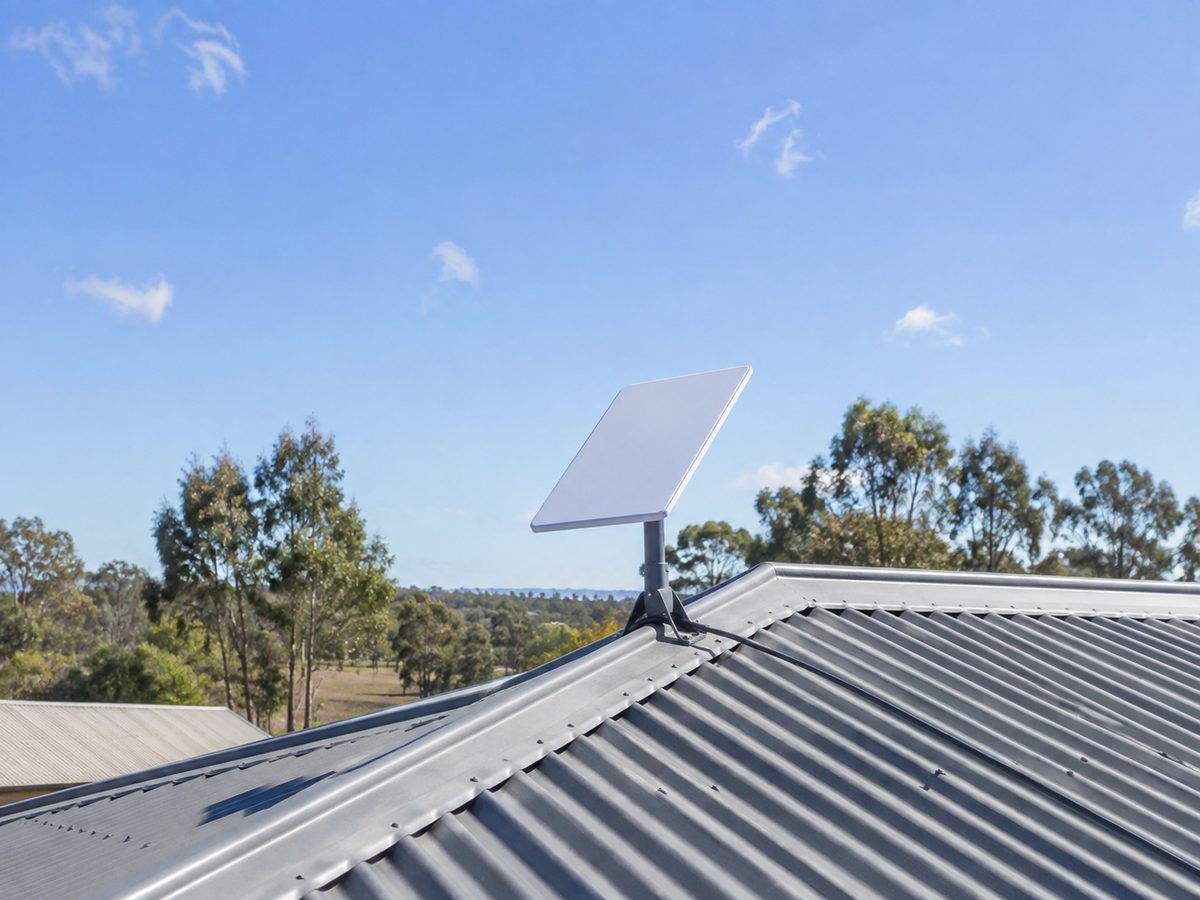
Starlink installation in Brisbane, mounted to suit your roof

The obstruction test decides the spot, the roof decides the mount, and every penetration is sealed properly or not made at all. Brisbane, the rural fringe and all of South East Queensland.

  • Obstruction test before anything is drilled
  • Tile-roof safe mounting options
  • 5-year workmanship warranty
  • [rating] From [review count] Google reviews
  • [installs completed]Installs completed
  • 5 yearsWorkmanship warranty
  • ABN [abn number]Public liability insured

What a proper install includes

Sited by the sky, not by convenience

Starlink works brilliantly when the dish can see enough sky and the cable run is done once, properly. Both of those are decided before the ladder comes off the van.

  1. Obstruction test first

    The Starlink app’s obstruction scan is the sanctioned way to site a dish: it needs a clear cone of sky from roughly 20 to 25 degrees above the horizon through to overhead. We run it at every candidate position and show you the result before choosing.

  2. Mount matched to the roof

    Tile, Colorbond, tin, flat deck or no roof involvement at all - each has a correct mount and several wrong ones. The full rundown is below, including the tile caveat Starlink itself publishes.

  3. Cable run done once

    The kit’s cable routed cleanly into the house, penetrations sealed and flashed to keep Queensland rain out for good, and the router placed where the house actually needs it - not just where the cable happens to end.

  4. Speed proven at handover

    Dish online, obstruction map clean, a speed test run in front of you, and Wi-Fi coverage checked through the rooms you care about - with honest advice if the far end of the house needs a mesh point.

The part that decides everything

Brisbane roofs are tile roofs, and Starlink has a rule about that

Starlink’s own guidance states the standard Pivot Mount is not recommended for tile, slate and clay roofing - which rules it out on a huge share of Brisbane homes. Most installers bolt it on anyway. We fit the mount the roof actually calls for.

Official Starlink mounts, and where each belongs
MountMade forThe fine print
Pivot Mount Slanted metal roofs Requires drilling. Not recommended by Starlink for tile, slate or clay
Flashing Mount Shingled and metal roofs Manages waterproofing properly; used with a Pivot Mount
Ridgeline Mount Roof ridgelines and flat surfaces No drilling at all - held by ballast weights. The tile-friendly answer
Pipe Adapter An existing pole, mast or J-mount Fits metal pipe 31 to 63.5 mm - an old antenna mast avoids any new roof penetration
Short / Long Wall Mount Walls, under an eave or overhang Clears overhangs up to 2″ or 12″; masonry or framed walls
Ground Pole Mount In the ground, clear of the house Up to 50″ of clearance; the answer when trees crowd the roof

Mount names and constraints from Starlink’s official installation guidance, verified 20 August 2026.

So what goes on a tile roof?

Three compliant options, in the order we usually reach for them: a ballasted Ridgeline Mount that touches nothing; a bracket system that transfers load to battens and rafters rather than the tile face, because a tile drilled through its face is a crack and a leak waiting for the next storm; or a pole or mast off a structural point - and if you have a sound old antenna mast, the Pipe Adapter reuses it and the roof is never touched at all. The full rundown of every mount, roof by roof, is in our Starlink roof mount guide.

Trees are the other Brisbane problem

Along the D’Aguilar range and through the acreage suburbs, tree cover beats roof height. When the app’s scan shows the canopy cutting the cone of sky, the honest fixes are height - a taller mast - or distance: a ground pole in the clear part of the yard with a properly trenched cable run back to the house. We will tell you which before you spend anything.

What it costs

Quoted after the obstruction test, honestly

A straightforward install - single-storey Colorbond or metal roof, short cable run, kit already purchased - typically lands between $299 and $399. Tile roofs with a Ridgeline or batten-fixed mount, two-storey access, long cable runs or a ground pole with trenching run higher, and we tell you the number before work starts, not after.

Two things worth knowing up front: you buy the Starlink kit yourself from Starlink, JB Hi-Fi or Bunnings (that keeps the hardware warranty in your name), and any specialty mount we supply is charged at hardware cost plus fitting. The full rate card covers all three services, because publishing numbers is how we prefer to operate.

Where we install

From backyard suburbs to the black-spot fringe

Starlink jobs split into two kinds: metro homes done with NBN frustration, and the genuine fringe where fixed broadband runs out. We do both, and the fringe carries an honest travel loading quoted up front.

Rural fringe & acreage

Where Starlink is the main event: tree cover, long runs to sheds, and outdoor power to plan around.

Samford · Camp Mountain · Closeburn · Highvale · Mt Nebo · Mt Glorious · Dayboro · Wamuran · Esk · Fernvale · Boonah · Canungra · Beaudesert

Metro Brisbane

Usually a tile roof, a neat cable run and a router placed properly - same-week bookings.

All Brisbane suburbs · Moreton Bay · Ipswich · Logan · Redlands

Bay islands & coast

Barge and ferry timing priced up front; stainless hardware, because salt air eats galvanised.

Russell Island · Macleay Island · Lamb Island · Karragarra · Coochiemudlo · Redland Bay

Starlink questions

Asked before every install

General questions - insurance, warranty, renting and body corporate - are covered on the main FAQ page.

Send a photo of your roof and a screenshot of the app’s obstruction scan and we can usually quote without a site visit.

Call 07 XXXX XXXX
Do I buy the Starlink kit first, or do you supply it?

Buy it yourself - from starlink.com, JB Hi-Fi or Bunnings - so the hardware warranty and the account sit in your name. The Standard Kit includes the dish, kickstand, Gen 3 router, a 15-metre cable and the power supply. We install what you have bought, supply any specialty mount at hardware cost, and set the account up with you at handover if you have not activated it yet.

Will you drill through my roof tiles?

No - and you should not let anyone else do it either. A tile drilled through its face cracks under load and leaks in the next storm, and Starlink itself does not recommend its standard Pivot Mount on tile, slate or clay. On tile we use a ballasted Ridgeline Mount, a bracket that fixes to battens and rafters under the tiles, or a mast off a structural point. If someone quotes you a cheap tile install with the standard mount, that price includes a future leak.

Trees block half my sky. Can Starlink still work?

Sometimes - the app’s obstruction scan is the honest answer, and we run it at multiple positions before promising anything. The dish needs a clear view from about 20 to 25 degrees above the horizon up to overhead. Where the canopy cuts into that, the fixes are height (a taller mast), a different corner of the roof, or a ground pole out in the clear with a trenched cable back. Occasional brief dropouts from a single tree branch are livable for streaming; they are not for video calls, and we will say so plainly.

Can you use my old TV antenna mast for the dish?

Often, yes - and it is the tidiest install there is. Starlink’s Pipe Adapter fits metal pipe from 31 to 63.5 mm in diameter, which covers most antenna masts, and reusing a sound mast means no new roof penetration at all. We check the mast’s fixing and condition first; a rusted or under-fixed mast gets replaced rather than loaded with new hardware. As antenna installers, this one is home ground for us.

How long does the install take?

Most single-storey installs are done in two to three hours: siting test, mount, cable run, sealing, and the speed test at the end. A tile roof with a batten-fixed bracket, a two-storey home, or a ground pole with trenching takes longer, and we tell you the expected time with the quote so you can plan your day.

Will the Wi-Fi reach the whole house?

The Gen 3 router is capable, but no single router beats brick walls and 40 metres of house. We place the router centrally where the cable run allows, then walk the house with a speed test at handover. If the far rooms genuinely need it, the honest fix is a mesh point or an ethernet run - we will show you the readings and quote it separately rather than pretending one box covers everything.

What happens in storms and power outages?

Heavy rain can slow satellite internet briefly - that is physics, not a fault - and the dish itself is built for Queensland weather, with a melting function for the hail-cold mornings. What matters is the mount surviving wind, which is why we fix to structure and torque to spec. In a power outage Starlink goes down with the house; if you need it up for work, a small UPS on the router and power supply keeps it alive through short outages, and we can advise on sizing.

Get a price

Tell us the roof, we will name the number

Suburb, roof type and whether the kit has arrived - that is all we need to quote most installs on the phone.

07 XXXX XXXX

  • Monday to Friday[trading hours]
  • Saturday[trading hours]
  • Sunday[trading hours]
  • Service areaBrisbane and South East Queensland

Request a free Starlink quote

Not sure? Leave it on the first option and we will ask for a photo instead.

We use your details to quote this job and nothing else. Prefer to talk? Call 07 XXXX XXXX.